JWT Authentication Middleware (Using HTTP-Only Cookies)
npm install jsonwebtoken cookie-parserconst express = require("express");
const cookieParser = require("cookie-parser");
const app = express();
app.use(express.json());
app.use(cookieParser());
app.use("/api", require("./routes"));
module.exports = app;PORT=5000
JWT_SECRET=your_super_secret_key_here
JWT_EXPIRES_IN=7d
NODE_ENV=developmentconst jwt = require("jsonwebtoken");
const token = jwt.sign(
{
userId: user._id,
email: user.email,
role: user.role
},
process.env.JWT_SECRET,
{
expiresIn: process.env.JWT_EXPIRES_IN
}
);res.cookie("token", token, {
httpOnly: true,
secure: process.env.NODE_ENV === "production",
sameSite: "strict",
maxAge: 7 * 24 * 60 * 60 * 1000
});
return res.status(200).json({
success: true,
message: "Login successful"
});const jwt = require("jsonwebtoken");
const authMiddleware = (req, res, next) => {
try {
const token = req.cookies.token;
if (!token) {
return res.status(401).json({
success: false,
message: "Authentication required."
});
}
const decoded = jwt.verify(
token,
process.env.JWT_SECRET
);
req.user = decoded;
next();
} catch (error) {
if (error.name === "TokenExpiredError") {
return res.status(401).json({
success: false,
message: "Session expired."
});
}
if (error.name === "JsonWebTokenError") {
return res.status(401).json({
success: false,
message: "Invalid authentication token."
});
}
return res.status(500).json({
success: false,
message: "Internal Server Error"
});
}
};
module.exports = authMiddleware;const express = require("express");
const authMiddleware = require("../middleware/auth.middleware");
const router = express.Router();
router.get("/profile", authMiddleware, (req, res) => {
res.status(200).json({
success: true,
user: req.user
});
});
module.exports = router;const logout = (req, res) => {
res.clearCookie("token", {
httpOnly: true,
secure: process.env.NODE_ENV === "production",
sameSite: "strict"
});
res.status(200).json({
success: true,
message: "Logged out successfully."
});
};
module.exports = logout;const jwt = require("jsonwebtoken");
const login = async (req, res) => {
const user = {
_id: "68783b4a25d9ab1",
email: "rohan@example.com",
role: "user"
};
const token = jwt.sign(
{
userId: user._id,
email: user.email,
role: user.role
},
process.env.JWT_SECRET,
{
expiresIn: process.env.JWT_EXPIRES_IN
}
);
res.cookie("token", token, {
httpOnly: true,
secure: process.env.NODE_ENV === "production",
sameSite: "strict",
maxAge: 7 * 24 * 60 * 60 * 1000
});
return res.status(200).json({
success: true,
message: "Login successful."
});
};
module.exports = login;router.get("/dashboard", authMiddleware, (req, res) => {
console.log(req.user.userId);
console.log(req.user.email);
console.log(req.user.role);
res.json({
success: true,
user: req.user
});
});project/
│
├── middleware/
│ └── auth.middleware.js
│
├── controllers/
│ ├── login.controller.js
│ └── logout.controller.js
│
├── routes/
│ └── index.js
│
├── app.js
├── server.js
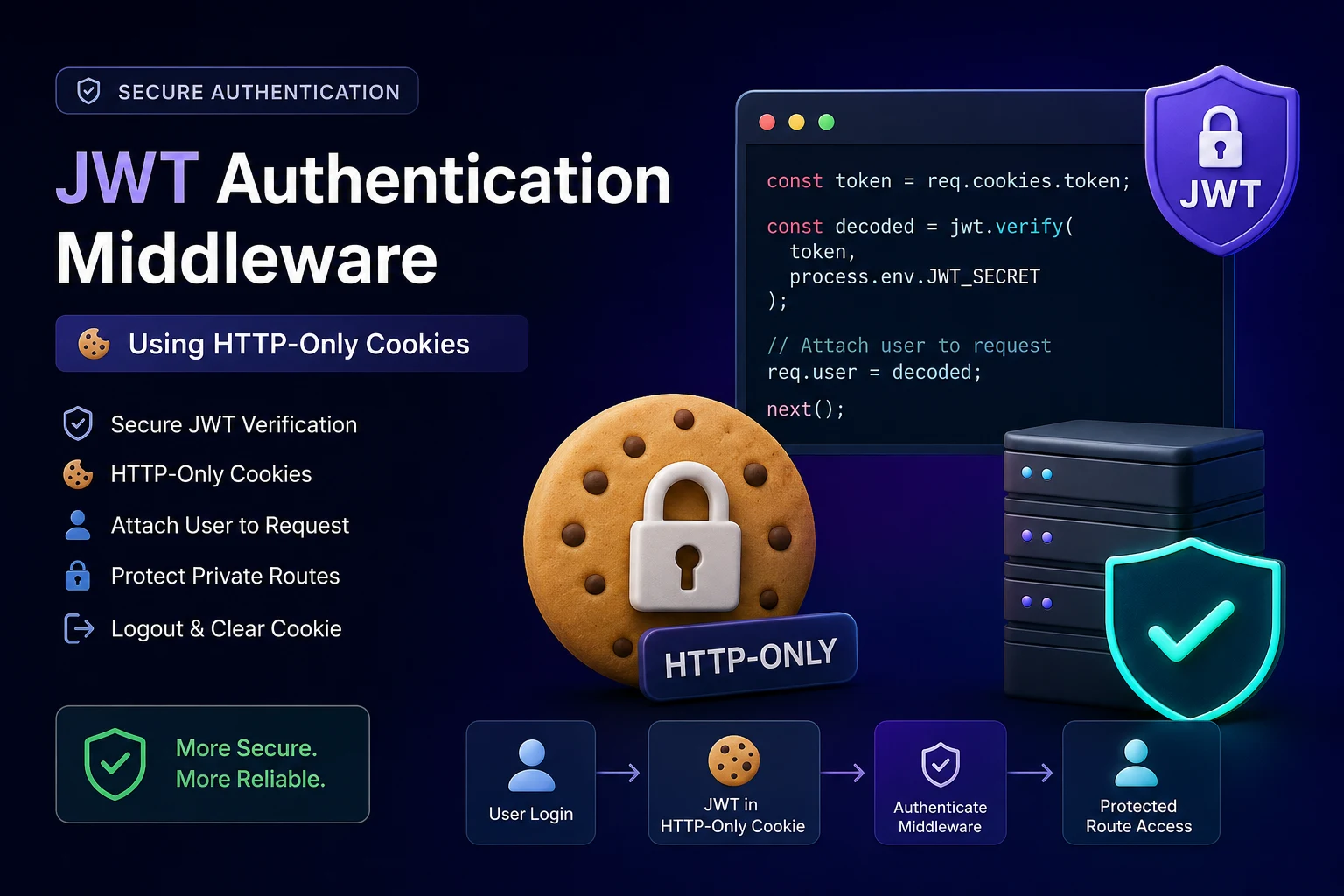
└── .envJWT (JSON Web Token) is one of the most popular methods for authenticating users in modern web applications. Instead of storing session data on the server, JWT stores user information inside a signed token that can be verified whenever a protected route is accessed.
In this tutorial, we'll build a reusable JWT Authentication Middleware for an Express.js application using HTTP-only cookies. This approach is more secure than storing tokens in local storage because HTTP-only cookies cannot be accessed through JavaScript, reducing the risk of XSS attacks.
By the end of this guide, you'll have a complete authentication flow that includes token generation, storing the token in cookies, verifying the token using middleware, protecting routes, logging users out, and accessing authenticated user information anywhere in your application.
Step 1: Install Required Packages
Before implementing JWT authentication, install the required dependencies:
- jsonwebtoken – Used to generate and verify JWT tokens.
- cookie-parser – Parses cookies sent from the client so they can be accessed through
req.cookies.
Step 2: Configure Cookie Parser
Express doesn't automatically parse cookies. Add the cookie-parser middleware so your application can read cookies attached to incoming requests.
Once configured, every request will have access to cookies using req.cookies.
Step 3: Configure Environment Variables
Store your secret key and token expiration time inside the .env file instead of hardcoding them into your application.
This makes your application more secure and easier to configure across development, staging, and production environments.
Step 4: Generate JWT During Login
After verifying the user's credentials, generate a JWT containing the required user information such as:
- User ID
- User Role
The JWT is signed using your secret key and configured to expire automatically after a specified duration.
Step 5: Store JWT Inside an HTTP-Only Cookie
Instead of sending the token back to the frontend to store in Local Storage, save it directly in an HTTP-only cookie.
This provides several security benefits:
- JavaScript cannot access the token.
- Better protection against XSS attacks.
- Browser automatically sends the cookie with every request.
- Cleaner authentication flow.
Step 6: Create the Authentication Middleware
The authentication middleware is responsible for protecting private routes. Whenever a request reaches a protected endpoint, the middleware performs the following steps:
- Reads the JWT from cookies.
- Checks whether the token exists.
- Verifies the token using the secret key.
- Extracts the decoded payload.
- Stores the decoded user inside
req.user. - Allows the request to continue.
If the token is missing, invalid, or expired, the middleware immediately returns an Unauthorized response.
Step 7: Protect Private Routes
Simply add the middleware before any route that should only be accessible to authenticated users.
Once the middleware successfully verifies the token, the request continues normally and the authenticated user's information becomes available inside req.user.
Step 8: Logout User
Logging out is simple when using cookies: just clear the authentication cookie from the browser.
Once the cookie is removed, future requests will no longer contain the JWT, causing protected routes to reject the user automatically.
Step 9: Login Controller
After validating the user's email and password:
- Generate a JWT.
- Store it inside an HTTP-only cookie.
- Return a success response.
From this point onward, the browser automatically sends the JWT with every request.
Step 10: Access Logged-in User
After the middleware verifies the token, the decoded JWT payload becomes available through:
req.user.userIdreq.user.emailreq.user.role
This information can be used for authorization, database queries, user-specific resources, and role-based access control.
Folder Structure
Organizing authentication into dedicated folders makes the project easier to maintain. A recommended structure is:
| Directory / File | Description |
|---|---|
middleware/ |
Custom authentication and verification middleware |
controllers/ |
Authentication logic (login, logout, registration) |
routes/ |
Express routes protected by auth middleware |
app.js |
Express setup and cookie-parser initialization |
server.js |
App server entry point |
.env |
Secret keys and configuration settings |
Conclusion
Using JWT with HTTP-only cookies is one of the most secure authentication strategies for Express.js applications. By storing tokens inside cookies instead of local storage, you significantly reduce the risk of client-side attacks while keeping the authentication flow simple and scalable.
This implementation can easily be extended to support refresh tokens, role-based authorization, password reset functionality, email verification, and other advanced authentication features in production-ready applications.