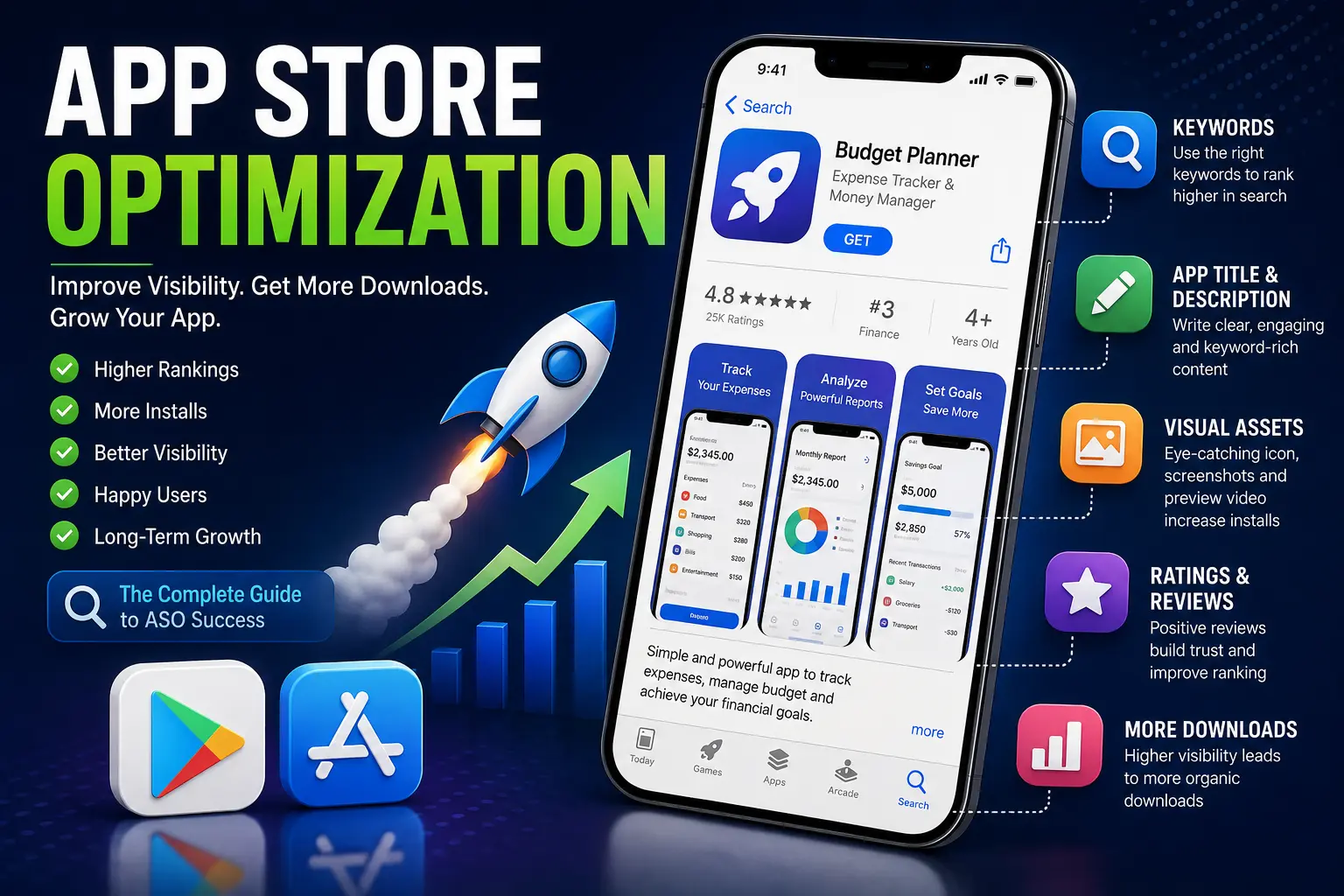
Imagine you've spent months building an amazing mobile application. It has a beautiful design, useful features, and solves a real problem. You publish it on the Google Play Store or Apple App Store expecting thousands of downloads—but nothing happens.
Why?
The reason is simple: people can't find your app.
This is where App Store Optimization (ASO) comes into play.
App Store Optimization is the process of improving your app's visibility in app stores so that more users can discover, download, and use your application. Just as websites use Search Engine Optimization (SEO) to rank higher on Google, mobile applications use ASO to rank higher in app stores.
In this article, you'll learn what ASO is, why it's important, how it works, and the best practices to improve your app's ranking.
What is App Store Optimization (ASO)?
App Store Optimization (ASO) is the process of optimizing a mobile application's listing to improve its visibility and ranking in app stores like the Google Play Store and the Apple App Store.
The primary goal of ASO is to increase:
-
App visibility
-
Organic downloads
-
User engagement
-
Conversion rate
-
Revenue
A well-optimized app appears higher in search results and category rankings, making it easier for users to discover it.
Why is ASO Important?
Every day, thousands of new applications are published on app stores. Without optimization, even a great app can get lost among millions of competitors.
A good ASO strategy helps you:
-
Increase organic downloads without spending heavily on advertisements.
-
Improve your app's search rankings.
-
Build trust with potential users.
-
Increase app installs.
-
Reduce customer acquisition costs.
-
Improve long-term growth.
Simply put, ASO makes your app easier to discover.
Real-World Example
Imagine opening a bookstore to buy a Java programming book.
If the books are arranged properly with categories, titles, and labels, you'll quickly find what you're looking for.
Now imagine every book is randomly placed without labels or categories.
Finding the right book would become almost impossible.
App stores work the same way.
ASO helps organize and optimize your app so users can easily discover it when searching.
How Does ASO Work?
When someone searches for an app like:
-
Photo Editor
-
Expense Tracker
-
Food Delivery
-
Meditation App
The app store searches through millions of applications and ranks them based on several factors.
Apps with better optimization are more likely to appear at the top of the search results.
Key Factors That Affect ASO
1. App Title
Your app's title is one of the most important ranking factors.
A good title should:
-
Clearly describe the app.
-
Include the primary keyword.
-
Be short and memorable.
Example:
❌ My Awesome App
✅ Expense Tracker - Budget Manager
The second title tells users exactly what the application does.
2. Keywords
Keywords are the words users type into the search bar.
For example:
-
Weather
-
Calculator
-
Notes
-
Fitness
-
Expense Manager
Researching the right keywords helps your app appear in relevant searches.
Avoid keyword stuffing.
Instead, use keywords naturally throughout your app listing.
3. App Description
The app description explains what your application does and why users should install it.
A good description should include:
-
Main features
-
Benefits
-
Important keywords
-
Clear formatting
-
Call-to-action
Example:
"Track your daily expenses, manage your monthly budget, create savings goals, and generate financial reports with our easy-to-use Expense Tracker."
4. App Icon
The app icon is often the first thing users notice.
A professional icon should be:
-
Simple
-
Attractive
-
Unique
-
Easy to recognize
-
Consistent with your brand
An appealing icon can significantly improve the number of installs.
5. Screenshots
Screenshots showcase your app before users install it.
Use screenshots to highlight:
-
Important features
-
Beautiful user interface
-
Benefits
-
Real use cases
Add short captions explaining each screen.
Example:
-
Track Daily Expenses
-
Analyze Monthly Reports
-
Secure Cloud Backup
6. App Preview Video
A short video can quickly demonstrate how your app works.
Users are more likely to install an app when they understand its functionality within a few seconds.
Keep the preview:
-
Short
-
High quality
-
Informative
-
Focused on key features
7. Ratings and Reviews
Positive ratings improve both trust and app rankings.
Encourage satisfied users to leave genuine reviews after they've had a good experience with your app.
Never buy fake reviews, as this can violate app store policies.
8. Number of Downloads
Popular apps often rank higher because they indicate user trust and demand.
While you can't directly control download numbers, improving your ASO, app quality, and user experience naturally leads to more installs.
9. App Performance
Users quickly uninstall apps that:
-
Crash frequently
-
Load slowly
-
Consume too much battery
-
Contain many bugs
App stores also consider performance when ranking applications.
A stable and optimized app has a better chance of ranking higher.
Google Play Store vs Apple App Store ASO
Although the goal is the same, the ranking factors differ slightly.
| Google Play Store | Apple App Store |
|---|---|
| Uses title, description, keywords, ratings, and engagement | Uses title, subtitle, keyword field, ratings, and engagement |
| Indexes the full description | Uses a dedicated keyword field |
| More dependent on machine learning | More dependent on metadata optimization |
Understanding the differences helps developers optimize apps for both platforms effectively.
Best Practices for Better ASO
Follow these proven tips to improve your app's visibility:
-
Choose relevant keywords.
-
Write a clear and engaging title.
-
Design a professional app icon.
-
Use high-quality screenshots.
-
Add an informative preview video.
-
Update your app regularly.
-
Respond to user reviews.
-
Fix bugs quickly.
-
Improve app speed and stability.
-
Monitor competitors and learn from successful apps.
Consistent optimization delivers better long-term results than making changes only once.
Common ASO Mistakes
Many beginners make mistakes that hurt their app's ranking.
Avoid these common issues:
-
Using irrelevant keywords.
-
Writing misleading descriptions.
-
Ignoring user reviews.
-
Uploading poor-quality screenshots.
-
Choosing a confusing app title.
-
Not updating the app regularly.
-
Copying competitors' metadata.
-
Focusing only on downloads while ignoring user retention.
Remember, ASO is not just about getting installs—it's also about keeping users engaged.
ASO vs SEO
Many beginners confuse App Store Optimization with Search Engine Optimization.
Here's a simple comparison:
| SEO | ASO |
|---|---|
| Optimizes websites | Optimizes mobile apps |
| Focuses on Google, Bing, and search engines | Focuses on Google Play Store and Apple App Store |
| Improves website traffic | Improves app downloads |
| Uses web pages and backlinks | Uses app listings, ratings, screenshots, and metadata |
Both aim to increase visibility, but they target different platforms.
Real-World Example
Imagine two food delivery apps launching on the same day.
The first app has:
-
A professional icon
-
Clear screenshots
-
An optimized title
-
Relevant keywords
-
Positive reviews
The second app has:
-
A generic icon
-
Poor screenshots
-
No keyword optimization
-
Few reviews
Even if both apps offer similar features, the first app is far more likely to rank higher and attract more downloads because its App Store Optimization is stronger.
Key Takeaways
-
App Store Optimization (ASO) improves an app's visibility in app stores.
-
Better visibility leads to more organic downloads.
-
Optimize your app title, keywords, description, icon, screenshots, and preview video.
-
Positive ratings and reviews build trust and improve rankings.
-
Fast, stable, and regularly updated apps perform better.
-
ASO is an ongoing process, not a one-time task.
-
A great app combined with strong ASO has a much better chance of reaching a wider audience.
Conclusion
Building a great mobile application is only half the journey. The other half is ensuring that users can actually find and trust your app. App Store Optimization helps bridge that gap by improving your app's visibility, increasing organic downloads, and enhancing user engagement. By optimizing your app's title, keywords, visuals, description, ratings, and overall performance, you can significantly improve its chances of success in both the Google Play Store and the Apple App Store. Whether you're an independent developer or part of a large development team, learning and applying ASO is an essential skill for publishing successful mobile applications.