Have you ever unlocked your phone using your face?
Or uploaded a photo to Google Photos and watched it automatically recognize people, animals, cars, or places?
Maybe you've used a shopping app that lets you search for a product simply by taking a picture of it.
All of these experiences have something in common: Computer Vision.
But what exactly is computer vision?
Let's understand it without getting buried in complicated mathematical formulas.
What Is Computer Vision?
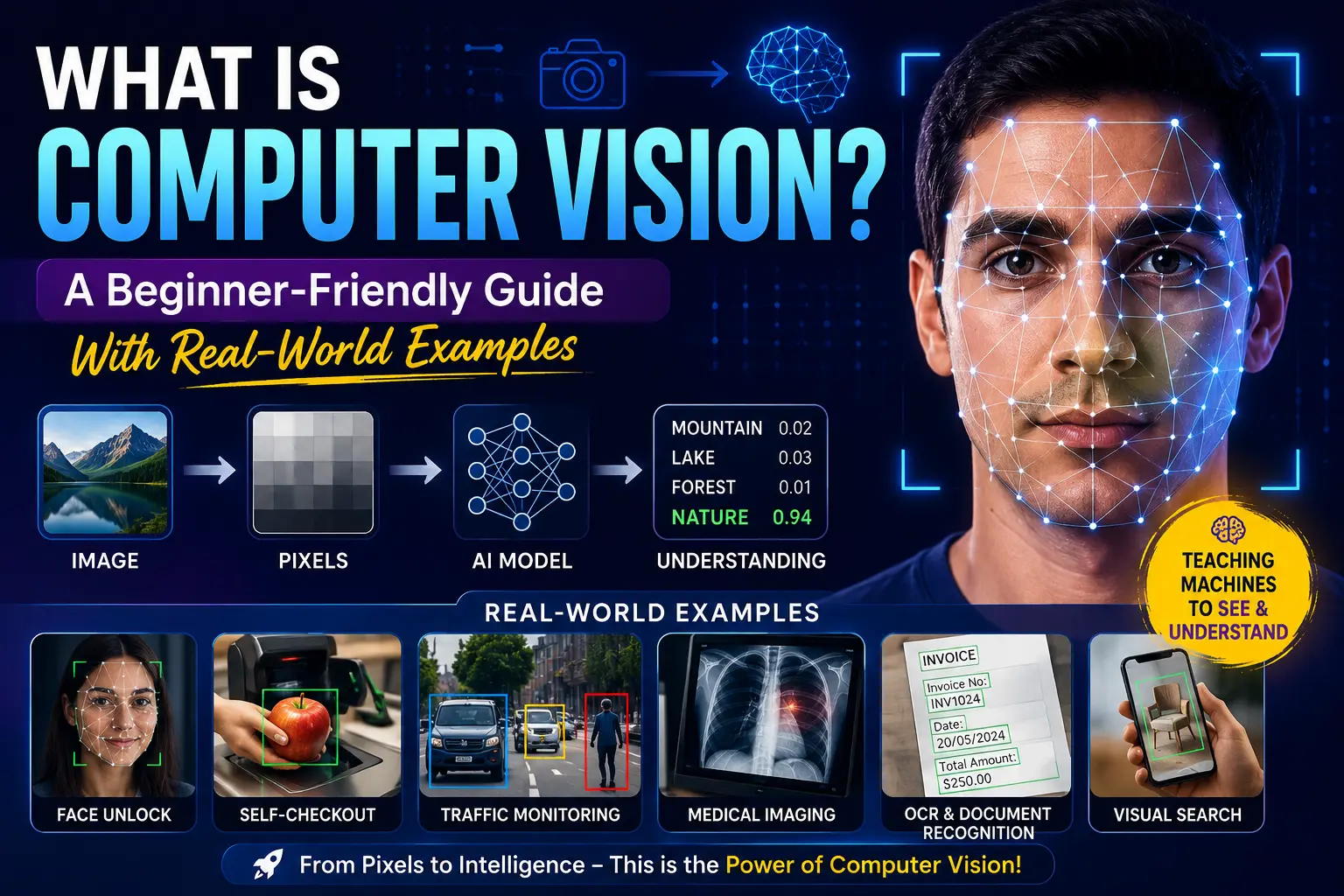
Computer Vision is a field of Artificial Intelligence (AI) that enables computers to understand and interpret images and videos.
Humans naturally understand what they see.
If I show you a picture of a dog, you don't need to calculate anything. You simply look at the picture and say:
"That's a dog."
A computer doesn't naturally understand that picture.
For a computer, an image is essentially a collection of numbers representing pixels.
Computer Vision provides algorithms and AI models that help computers turn those numbers into meaningful information.
For example:
Image
  ↓
Pixels
  ↓
Computer Vision Model
  ↓
"What is in this image?"
  ↓
Dog
That's the basic idea behind computer vision.
Let's Take a Real-World Example
Imagine you're using a self-checkout machine in a supermarket.
You place an apple on the checkout area.
How could a computer determine that you've placed an apple there?
A computer vision system might process the camera image like this:
Camera
   ↓
Capture Image
   ↓
Process Image
   ↓
Detect Object
   ↓
Identify Object
   ↓
Apple
The system doesn't "see" the apple in the same way you do.
Instead, a camera captures an image, and the computer processes the image data to find patterns that indicate an apple.
A trained AI model may have seen thousands or millions of example images during training.
Over time, it learns patterns associated with different objects.
So when it receives a new image, it can estimate:
Apple → 96%
Orange → 2%
Tomato → 1%
Other → 1%
The model then chooses the most likely result.
How Does a Computer See an Image?
Here's where things get interesting.
When you look at a photograph, you see a complete scene.
A computer sees something very different.
Suppose you have a small image:
[ Pixel ][ Pixel ][ Pixel ]
[ Pixel ][ Pixel ][ Pixel ]
[ Pixel ][ Pixel ][ Pixel ]
Each pixel contains numerical information.
For a typical RGB image, a pixel can contain three values:
Red
Green
Blue
For example:
RGB(255, 0, 0)
represents a red color.
A complete image can contain thousands or millions of these pixels.
So when we say that a computer "understands" an image, what we're really doing is using algorithms and models to analyze patterns in this numerical data.
Another Example: Face Unlock
Let's take something you probably use every day — face recognition on a smartphone.
You look at your phone.
The phone's camera captures your face.
A computer vision system analyzes important characteristics of your face.
It may identify patterns involving things such as:
-
The shape of your face
-
Position of your eyes
-
Nose structure
-
Distance between facial features
-
Other visual characteristics
The system then compares the information against the representation stored for the authorized user.
Conceptually:
Camera
   ↓
Face Detection
   ↓
Extract Facial Features
   ↓
Compare With Stored Representation
   ↓
Match?
  ↙   ↘
Yes    No
 ↓      ↓
Unlock  Reject
Notice something important here.
Face detection and face recognition are not exactly the same thing.
Face detection answers:
"Is there a face in this image?"
Face recognition asks:
"Whose face is this?"
We'll explore that difference in a separate article.
Computer Vision Is More Than Recognizing Objects
You might think:
"Okay, computer vision just identifies objects."
Not quite.
Computer Vision can perform many different tasks.
For example:
Image Classification
The system determines what an image represents.
Image → Cat
Object Detection
The system identifies objects and where they are located.
Image
 ↓
Person → Bounding Box
Car    → Bounding Box
Dog    → Bounding Box
Image Segmentation
The system can identify objects at the pixel level.
For example, in a photograph containing a person and a background, segmentation can determine which pixels belong to the person.
Face Detection
The system identifies faces in an image or video.
OCR
OCR, or Optical Character Recognition, allows computers to extract text from images.
For example:
Photo of document
       ↓
Computer Vision + OCR
       ↓
"Invoice Number: INV1024"
This is extremely useful for document processing.
Computer Vision in Self-Driving Cars
Now let's move to a much more complex example.
Imagine an autonomous vehicle driving through a city.
The vehicle needs to understand its surroundings.
Cameras can capture information about:
-
Cars
-
Pedestrians
-
Traffic lights
-
Road signs
-
Lane markings
-
Bicycles
-
Road boundaries
A computer vision system can process this information continuously.
For example:
Camera Feed
     ↓
Object Detection
     ↓
Traffic Light → Red
Car → 15 meters away
Pedestrian → 8 meters away
     ↓
Decision System
     ↓
Slow Down / Stop
This is where computer vision becomes particularly powerful.
The goal isn't simply to identify objects.
The system needs to understand the environment well enough to support decisions.
Computer Vision in Healthcare
Computer vision is also used in medical imaging.
Doctors may need to examine images such as:
-
X-rays
-
CT scans
-
MRI scans
-
Microscopy images
AI systems can assist by identifying patterns in medical images that may require further examination.
For example:
Medical Image
      ↓
AI Model
      ↓
Detect Possible Abnormal Region
      ↓
Highlight Area
      ↓
Doctor Reviews Result
The important point is that AI can assist medical professionals; it doesn't automatically mean that the AI replaces the doctor.
Computer Vision in Security
You've probably seen CCTV cameras everywhere.
Traditional CCTV simply records video.
But modern computer vision systems can analyze that video.
For example:
CCTV Camera
     ↓
Video Stream
     ↓
Person Detection
     ↓
Object Tracking
     ↓
Event Detection
     ↓
Alert
A system might detect that someone has entered a restricted area and generate an alert.
This is one reason computer vision is becoming increasingly important in security and surveillance systems.
What Technologies Are Used?
If you want to become a Computer Vision developer, you'll encounter several technologies.
A common beginner-friendly stack is:
Python
   ↓
NumPy
   ↓
OpenCV
   ↓
Machine Learning
   ↓
Deep Learning
   ↓
CNN / YOLO / Transformers
OpenCV is particularly useful for learning traditional image processing and computer vision.
For example, you can use it to:
-
Read images
-
Resize images
-
Crop images
-
Detect edges
-
Process video
-
Detect faces
-
Manipulate colors
Later, you can move toward deep learning models for more advanced tasks such as object detection and image classification.
Where Should You Start?
If you're completely new to Computer Vision, don't immediately jump into complex models.
Start with the fundamentals.
A good learning path would be:
1. Understand Images and Pixels
          ↓
2. Learn Python
          ↓
3. Learn NumPy
          ↓
4. Learn OpenCV
          ↓
5. Learn Image Processing
          ↓
6. Learn Machine Learning
          ↓
7. Learn CNNs
          ↓
8. Learn Object Detection
          ↓
9. Learn Segmentation
          ↓
10. Build Real-World Projects
For example, your first project could simply be:
"Detect faces from a webcam."
Then you could progress to:
"Detect people in a video."
And eventually:
"Build a real-time object detection system."
This gradual approach makes Computer Vision much easier to understand.
Final Thoughts
Computer Vision is essentially about teaching computers to extract useful information from visual data.
From unlocking your smartphone with your face to analyzing medical images, reading documents, monitoring traffic, detecting objects, and powering autonomous systems, computer vision is already part of many technologies we interact with every day.
And the exciting part is that you don't need to start by building a self-driving car.
Start small.
Understand pixels.
Process an image.
Detect an edge.
Detect a face.
Detect an object.
Then gradually move toward more advanced AI models.
Once you understand how a computer goes from pixels → patterns → information → decisions, you'll have a much stronger foundation for learning modern Computer Vision.