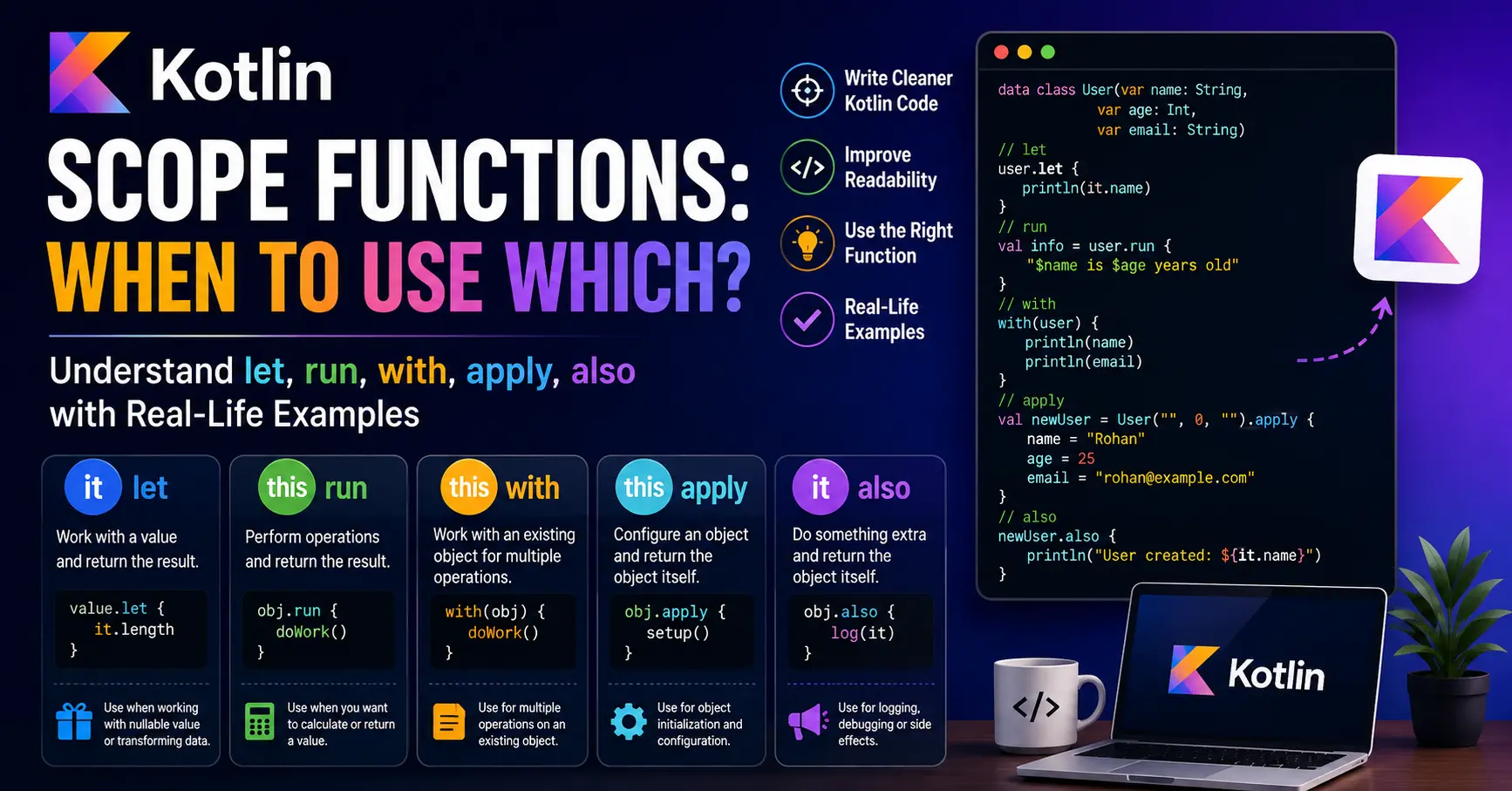
When you start learning Kotlin, you will often come across five functions:
-
let -
run -
with -
apply -
also
These are called scope functions because they execute a block of code within the scope of an object.
At first, they can be confusing because all five functions look similar. The real difference is how you access the object inside the block and what the function returns.
For example:
user.let {
    println(it.name)
}
and:
user.apply {
    name = "Rohan"
}
Both execute code related to user, but they are normally used for different purposes.
In this article, we'll understand all five scope functions using simple real-life examples and Kotlin code. More importantly, we'll learn when to use which scope function.
What Are Scope Functions?
Suppose you have a User object:
data class User(
    var name: String,
    var age: Int,
    var email: String
)

val user = User(
    name = "Rohan",
    age = 25,
    email = "rohan@example.com"
)
Without a scope function, you might write:
println(user.name)
println(user.email)
With let, you can write:
user.let {
    println(it.name)
    println(it.email)
}
Here, user becomes available inside the block.
The important thing is that Kotlin provides five different scope functions, and they differ in two main ways:
-
How you access the object
-
What the function returns
Here's the basic comparison:
| Function | Object inside block | Returns | Common purpose |
|---|---|---|---|
let |
it |
Last expression | Transform or work with a value |
run |
this |
Last expression | Perform operations and calculate a result |
with |
this |
Last expression | Perform multiple operations on an existing object |
apply |
this |
The object itself | Configure an object |
also |
it |
The object itself | Perform an additional operation |
Understanding this table makes the rest much easier.
1. let: Work With a Value
The first function is let.
Inside a let block, the object is available as it.
For example:
val name = "Rohan"

name.let {
    println(it)
}
Here:
it
refers to "Rohan".
You can also give the object a custom name:
name.let { userName ->
    println(userName)
}
This is useful when the value needs to be passed into another operation or transformed.
Real-Life Example
Imagine a restaurant app receives an optional coupon code from the user.
val couponCode: String? = "SAVE20"
You only want to process the coupon if it exists.
You could write:
couponCode?.let {
    println("Applying coupon: $it")
}
If couponCode is null, the block isn't executed.
If it contains "SAVE20", the output is:
Applying coupon: SAVE20
This is one of the most common uses of let:
Use
letwhen you want to work with a value, especially a nullable value, or transform a value into something else.
For example:
val length = couponCode?.let {
    it.length
}
Now length contains the length of the coupon code, or null if the coupon doesn't exist.
2. run: Perform Operations and Return a Result
run is similar to let, but inside the block you normally access the object using this.
For example:
val user = User(
    name = "Rohan",
    age = 25,
    email = "rohan@example.com"
)

val description = user.run {
    "$name is $age years old"
}

println(description)
Inside the block, we can directly write:
name
age
email
instead of:
it.name
it.age
it.email
The result of the last expression is returned.
So:
val description = user.run {
    "$name is $age years old"
}
produces:
Rohan is 25 years old
Real-Life Example
Imagine an online shopping application calculating the total price of a cart.
data class Cart(
    val itemPrice: Double,
    val quantity: Int,
    val discount: Double
)

val cart = Cart(
    itemPrice = 500.0,
    quantity = 2,
    discount = 100.0
)
We can calculate the final price using run:
val finalPrice = cart.run {
    (itemPrice * quantity) - discount
}

println(finalPrice)
The result is:
900.0
Here, run is useful because we're using the object's properties to calculate a result.
A simple rule is:
Use
runwhen you want to perform several operations using an object and return the result of those operations.
3. with: Perform Multiple Operations on an Object
with looks slightly different because it isn't called using the dot operator.
Instead of:
user.run {
}
we write:
with(user) {
}
Inside the block, the object is available as this.
For example:
with(user) {
    println(name)
    println(age)
    println(email)
}
This is useful when you're going to perform several operations on the same existing object.
Real-Life Example
Imagine you're preparing an invoice.
data class Invoice(
    val customerName: String,
    val amount: Double,
    val invoiceNumber: String
)

val invoice = Invoice(
    customerName = "Rohan",
    amount = 2500.0,
    invoiceNumber = "INV101"
)
You can use:
with(invoice) {
    println("Invoice: $invoiceNumber")
    println("Customer: $customerName")
    println("Amount: ₹$amount")
}
Output:
Invoice: INV101
Customer: Rohan
Amount: ₹2500.0
The important point is that with is generally used when you already have an object and want to perform several operations on it.
Use
withwhen you want to work with an existing object for a group of related operations.
4. apply: Configure an Object
apply is one of the most useful scope functions when creating and configuring objects.
Inside the block, the object is available as this.
The biggest difference is that apply returns the original object.
For example:
val user = User(
    name = "",
    age = 0,
    email = ""
).apply {
    name = "Rohan"
    age = 25
    email = "rohan@example.com"
}
After the block finishes, user is still a User object.
Real-Life Example
Suppose you're creating a product for an e-commerce application.
data class Product(
    var name: String = "",
    var price: Double = 0.0,
    var category: String = ""
)
You can create and configure it like this:
val product = Product().apply {
    name = "Laptop"
    price = 65000.0
    category = "Electronics"
}
Now:
println(product.name)
println(product.price)
produces:
Laptop
65000.0
This is exactly where apply makes sense.
You're not primarily calculating a new value. You're setting up an object.
Use
applywhen you want to create or configure an object and continue using that same object afterward.
5. also: Do Something Extra
also is similar to apply because it returns the original object.
The difference is that the object is available as it.
For example:
val user = User(
    name = "Rohan",
    age = 25,
    email = "rohan@example.com"
).also {
    println("User created: ${it.name}")
}
The User object is still returned.
Real-Life Example
Imagine an application saves an order.
You want to save the order, but you also want to log some information.
val order = Order(
    id = 101,
    amount = 2500.0
).also {
    println("Order created with ID: ${it.id}")
}
The logging is an additional operation. It isn't the main purpose of creating the object.
This makes also useful for things such as:
-
Logging
-
Debugging
-
Printing information
-
Performing additional checks
-
Adding side operations
For example:
val numbers = mutableListOf(1, 2, 3)
    .also {
        println("Before adding: $it")
    }
    .also {
        it.add(4)
    }

println(numbers)
The original list continues through the chain.
Use
alsowhen you want to perform an additional operation while keeping the original object unchanged as the result of the scope function.
let vs run
These two can look very similar.
Consider:
user.let {
    println(it.name)
}
and:
user.run {
    println(name)
}
The main difference is how you reference the object.
With let:
it
With run:
this
let is often convenient when the object should be treated as a value.
run is convenient when you're performing several operations on the object and want to return a result.
apply vs also
This is another common source of confusion.
Both return the original object.
The difference is mainly how you interact with that object and what you're trying to express.
apply
Use apply for configuration:
val product = Product().apply {
    name = "Laptop"
    price = 65000.0
}
also
Use also for an additional operation:
val product = Product().also {
    println("Created product")
}
A simple way to remember it:
apply → Configure the object
also  → Do something extra with the object
run vs with
Both use this inside the block and return the last expression.
The main difference is how they are called.
With run:
user.run {
    println(name)
}
With with:
with(user) {
    println(name)
}
with is commonly used when you already have an object and want to perform several operations on it.
run is also useful when the block itself is being used to calculate a result.
For example:
val message = user.run {
    "User: $name, Age: $age"
}
A Simple Decision Guide
When you're unsure which scope function to use, ask what you are trying to do.
Do you want to work with a value?
Use:
let
Example:
email?.let {
    sendEmail(it)
}
Do you want to calculate or return a result using an object?
Use:
run
Example:
val total = cart.run {
    price * quantity
}
Do you want to perform several operations on an existing object?
Use:
with
Example:
with(user) {
    println(name)
    println(email)
}
Do you want to configure an object?
Use:
apply
Example:
val user = User().apply {
    name = "Rohan"
    age = 25
}
Do you want to perform an additional operation?
Use:
also
Example:
val user = createUser().also {
    println("User created: ${it.name}")
}
The Easiest Way to Remember All Five
You don't need to memorize complicated definitions.
Remember these two questions:
1. How do I access the object?
let   → it
also  → it

run   → this
with  → this
apply → this
2. What does the function return?
let   → Result of the last expression
run   → Result of the last expression
with  → Result of the last expression

apply → Original object
also  → Original object
So the complete picture is:
| Function | Access object as | Returns | Think of it as |
|---|---|---|---|
let |
it |
Result | Work with a value |
run |
this |
Result | Calculate something |
with |
this |
Result | Work with an existing object |
apply |
this |
Object | Configure an object |
also |
it |
Object | Do something extra |
Conclusion
Kotlin scope functions are not five completely different concepts. They are variations of the same basic idea: temporarily work with an object inside a block of code.
The important part is knowing what you want to accomplish.
Use let when you want to work with a value, especially a nullable value.
Use run when you want to perform operations on an object and return a result.
Use with when you want to perform several operations on an existing object.
Use apply when you are configuring or initializing an object and want the object itself back.
Use also when you want to perform an additional operation such as logging or debugging while keeping the original object as the result.
Once you understand these differences, you don't need to choose a scope function because it looks shorter. Choose it based on what your code is actually doing. That will make your Kotlin code easier to understand and maintain.