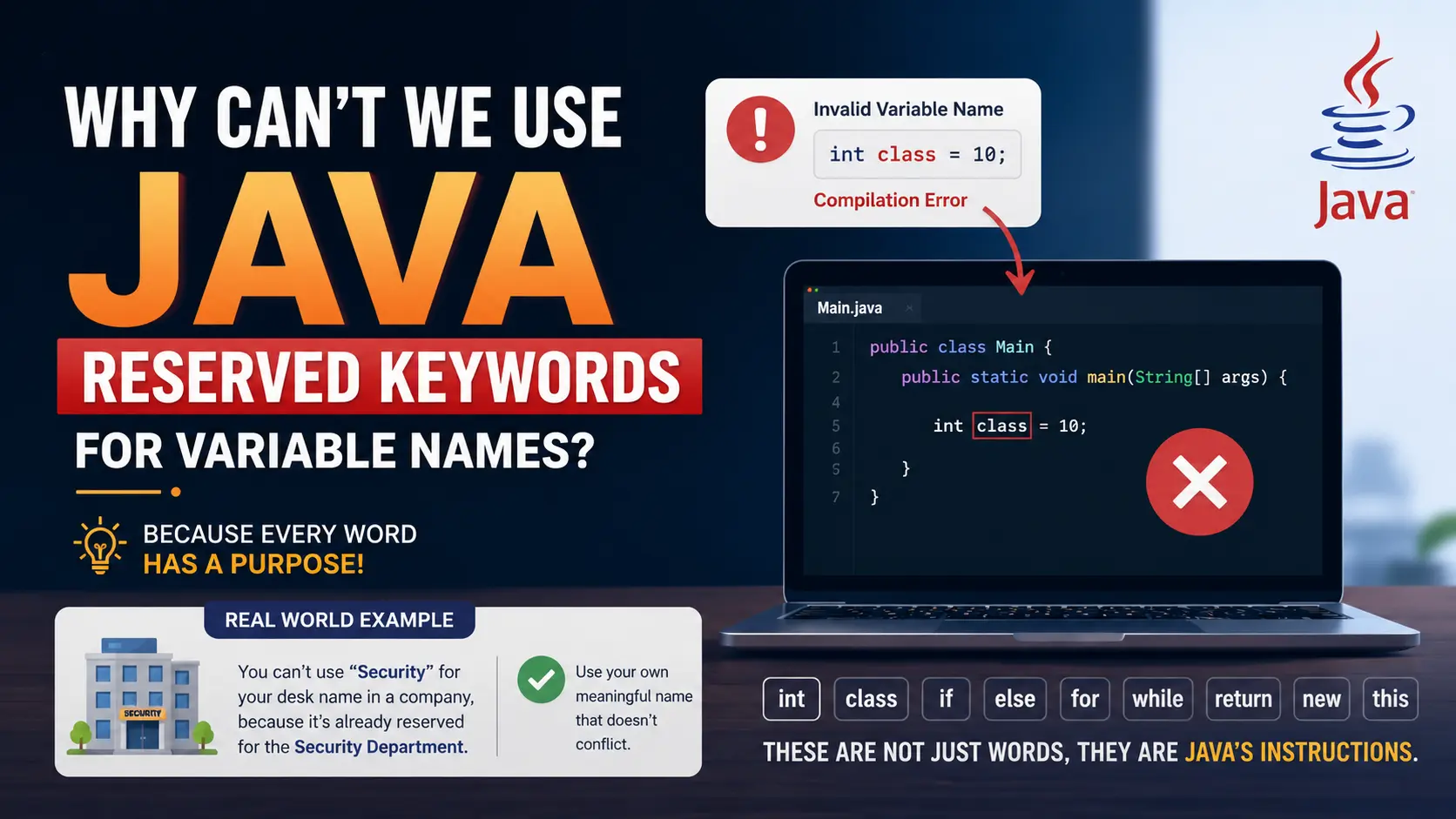
When you start learning Java, you will quickly learn that variables need names.
For example:
int age = 25;
String name = "Rohan";
double salary = 50000.0;
Here, age, name, and salary are variable names.
You might then wonder:
Can I use any word I want as a variable name?
The answer is no.
Java has a specific set of words that are already reserved for the language itself. These words are called reserved keywords or simply Java keywords.
You cannot use these keywords as variable names because Java has already assigned a special meaning to them.
Let's understand why with a simple real-world example.
🏷️ You Can't Use Every Name for Everything
Imagine you are working inside a large company.
The company has specific names and labels that are already assigned to important departments and facilities.
For example:
-
Reception is used for the reception area.
-
Security is used for the security department.
-
Accounts is used for the finance department.
-
HR is used for the Human Resources department.
Now imagine you decide to put a new sign saying "Security" on your personal desk.
The word itself is perfectly valid English, but inside this particular company, Security already has a specific purpose.
If the company allowed everyone to reuse important labels for random things, confusion would quickly occur.
Java works in a similar way.
Some words are already reserved by the Java language because they have a specific meaning. Java needs to recognize these words when reading your program, so you cannot use them for your own identifiers such as variable names.
🔑 What Are Java Reserved Keywords?
Java keywords are words that have a predefined meaning in the Java language.
Some common Java keywords are:
int
class
public
private
static
void
if
else
for
while
return
new
this
true
false
These words are part of Java's syntax and are used by the compiler to understand your program.
For example:
if (age >= 18) {
    System.out.println("Eligible");
}
Here, if is not an ordinary word.
It tells Java:
"Evaluate this condition and execute the following code when the condition is true."
Similarly:
class Student {

}
The keyword class tells Java that we are defining a class.
Because these words already have a job, Java does not allow us to take the same word and use it as a variable name.
❌ Example of an Invalid Variable Name
Suppose you try this:
int class = 10;
This will produce a compilation error.
Why?
Because Java sees class and immediately recognizes it as a keyword used to define a class.
It doesn't interpret it as the name of your variable.
Similarly:
int if = 20;
is invalid because if is already reserved for conditional statements.
Another example:
String return = "Hello";
This is also invalid because return has a predefined meaning in Java.
🧠 Think About It From the Compiler's Perspective
When you write Java code, the compiler needs to understand what every part of your program means.
Consider:
int age = 25;
The compiler can understand:
-
int→ Java keyword representing an integer data type -
age→ identifier created by the programmer -
=→ assignment operator -
25→ integer value
Now imagine Java allowed you to use int as a variable name:
int int = 25;
The compiler would have a problem.
The first int means "integer data type," but the second int is supposed to be the variable name.
Java's syntax would become ambiguous and difficult to interpret.
That's why the language keeps certain words reserved.
🚦 Reserved Words Are Like Traffic Rules
Here's another simple way to understand this.
Imagine you are driving on a road.
A sign saying STOP has a specific meaning.
You cannot simply take that same official road sign and use it to label your house, shop, or car.
The word "STOP" exists as a normal English word, but within the road system, it has a specific role.
Java keywords work similarly.
Words such as if, class, return, and new are not just ordinary English words inside Java. They have special meanings defined by the language.
Java's compiler depends on those meanings to understand your program correctly.
✅ What Can We Use Instead?
You can create your own meaningful variable names as long as they follow Java's identifier rules and are not reserved keywords.
For example:
int studentAge = 20;
String studentName = "Rohan";
double monthlySalary = 50000.0;
These names are created by the programmer and do not conflict with Java's reserved keywords.
Instead of:
int class = 10;
you could write:
int studentClass = 10;
Here, studentClass is perfectly valid because it is an identifier created by you.
🎯 The Main Idea
The important thing to remember is that Java does not allow reserved keywords to be used as variable names because those words already have predefined meanings in the Java language.
Think about it like this:
You cannot use every name for everything in the real world, and Java follows the same principle.
A company may reserve certain names for departments, a road reserves certain signs for traffic instructions, and Java reserves certain words for its own syntax.
So when you create a variable, use a meaningful identifier such as:
int age = 25;
String studentName = "Rohan";
and avoid Java keywords such as:
int class = 10;    // ❌ Invalid
int if = 20;       // ❌ Invalid
int return = 30;   // ❌ Invalid
Understanding this concept will make Java's keywords, identifiers, and variable naming rules much easier to understand as you continue learning the language.